Subject: "Making Of SecuVote"
The school I study in has student council elections. My CS teacher was telling us about earlier batches who had made voting systems from scratch for tablets, and she wanted others to take initiatives like that. She said that they were willing to offer decent compensation for the work so me and my friends got interested. Out of all of this came SecuVote. Granted, we didn’t do it for the money but also for the learning opportunity it presented us.
This is *the* biggest project that I have ever worked on. Period. The amount of consideration that went into each aspect was surreal. We had to think about what we could realistically implement and what was not possible. We wanted to have a good balance of things we had prior knowledge but also work with things that were new to us.
I already had a rough idea in mind. I wanted to create a three-tier application that runs on a centralized server. The last election app made for the school used Java as an android application. However, our approach allowed it to be cross-platform. Sorting out priorities and knowing the program requirements was half the battle. It gave us a good enough plan to start work.
We formed a group of 3 which made the work easily divisible. I handled a lot of the back-end and deployment work while my friends handled the front-end and database. To be honest, I had the most meticulous job compared to my friends. Setting up the front-end and database is far easier than getting both of it communicate with each other.
I had to handle a lot of the security knick-knacks in the backend as well. I was playing an analyst role as well to ensure a fair election. Despite the bulk of the project’s burden falling squarely on me, I had lots of fun trying to work on the problem bit by bit. I want to take this time to talk about some of the things that went into this program.
Project Architecture
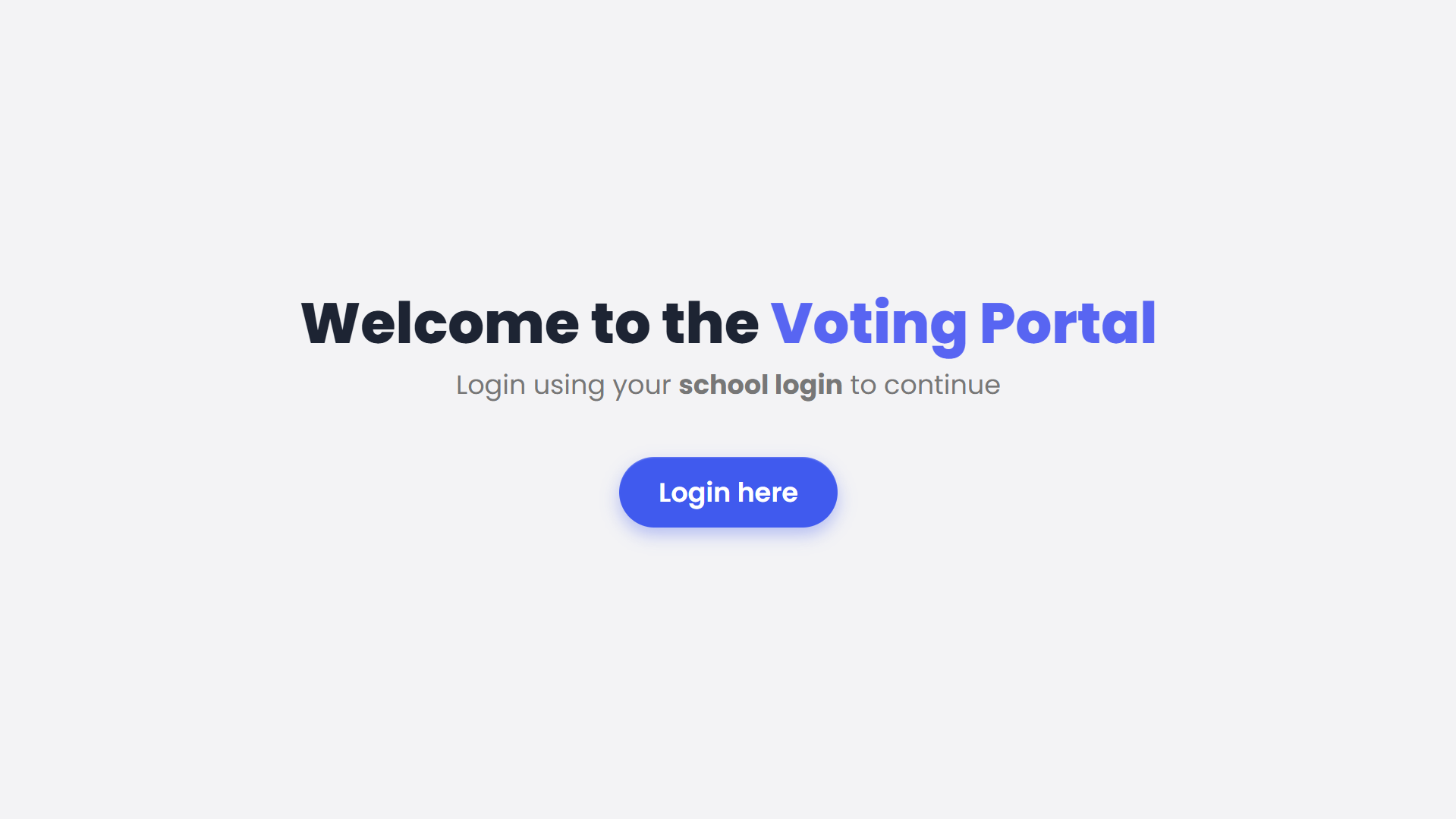
For the frontend, Pure HTML and CSS was used to reduce bloat. I recommended Bootstrap to handle responsive UI but he decided against it as my friend said it added unneeded complexity. To be fair, most of his work was AI-Driven since he doesn’t know much about front-end development so most of the tedious work was gone out of the equation.
I picked Flask for the backend. Flask follows a bring-your-own-libraries methodology, making it significantly more lightweight. As a byproduct, it gives me far more flexibility as well. I decided to pick SQLAlchemy for interfacing with the database. It is astonishingly easy to work with. The query builder is fantastic and highly feature-rich.
Lastly, for the database, my friend picked MySQL. No specific reason, just simplicity’s sake. We thought of using SQLite but it doesn’t offer row-level locking apparently? In an election app, we couldn’t afford to have race conditions so we opted for MySQL. As a bonus, it had very thorough documentation and a mature toolset.
Security & Authentication
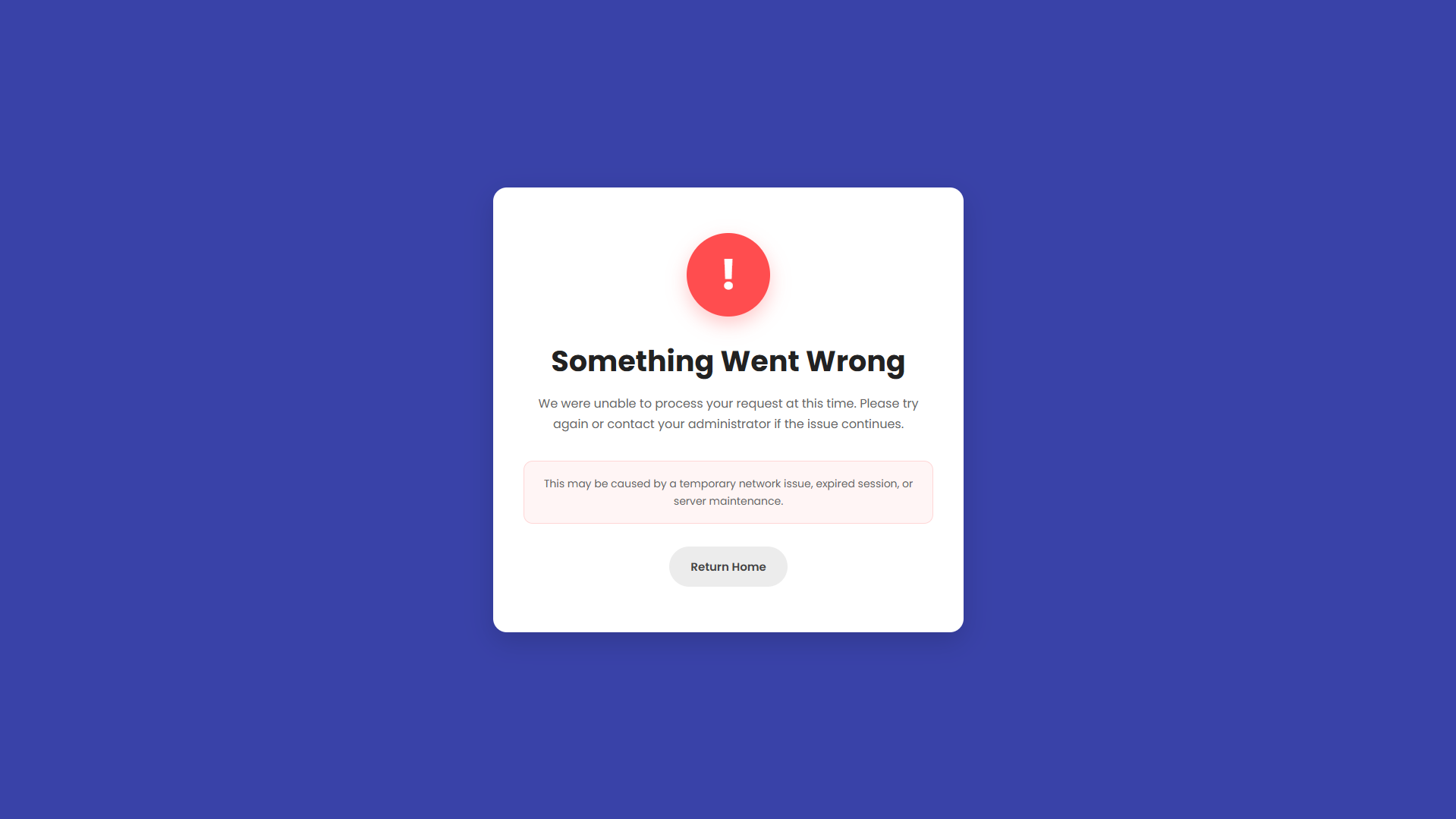
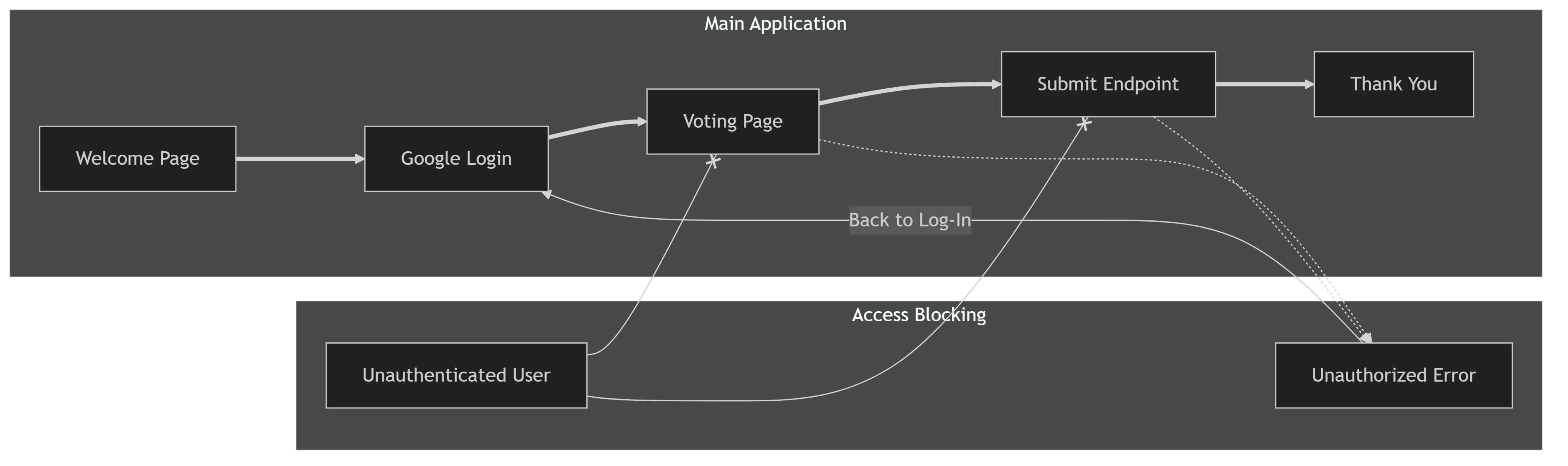
Surprisingly, this was the hardest part of the project. Our school conveniently had a Google Workspace set-up so we were able to authenticate users through OAuth. Integrating it with Flask was super easy through the use of Flask-Dance plugin. It also made it easy to restrict unauthorised people on certain routes and send them back to an error page.
The session token checks from Google weren’t useful on their own. I had to check for double voting at the database level as well. I created functions that are able to check if there are already existing emails and only insert emails if they have not been inserted before. These checks occur immediately after log-in and right before submission.
The app hashes e-mails immediately after login to ensure user privacy and total anonymity. We structured the database in a way where individual user choices aren’t recorded but only the candidates’ votes are incremented. The candidates are only referenced through ID which means that in case of a leak, the tallies aren’t directly attributable to any one candidate.
Database Integration
As I mentioned earlier, SQLAlchemy and MySQL went pretty hand in hand and I was happy with how it went out. An advantage with it was that we were able to mitigate injection attacks since we didn’t send any raw syntax that can be abused to perform malicious actions. Everything was parameterized due to the use of the query builder.
I mainly used SQLAlchemy Core. I had not yet learned OOP in python back then which made things a lot more easier. The database itself was totally locked down and only able to listen to incoming traffic through localhost. The default MySQL secure installation command did a lot of the heavy lifting in terms of security. We made automated back-ups using cron jobs.
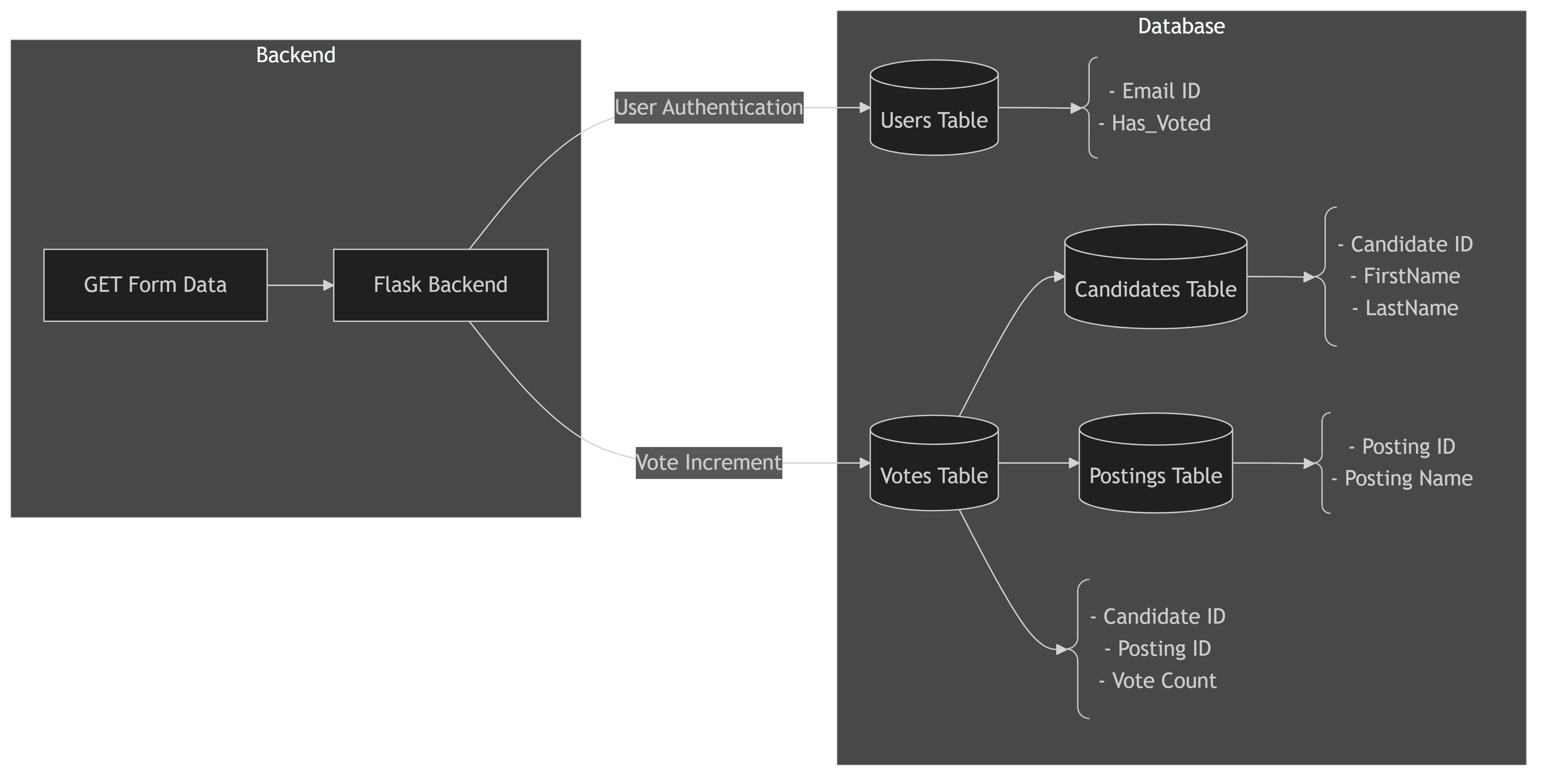
The toughest part of the project was handling race conditions. This could allow malicious actors to tamper with vote counts by timing requests just right. I had to ensure most of my queries were atomic and I had to properly implement row-level locking. This is to prevent inaccurate vote counting by people accessing the same data very quickly.
The original code I wrote was terrible at this. The session token checks and front-end had actually did *too* good of a job and masked the issue. Since I had already checked if the user was not allowed during log-in I didn’t really bother to check again. I decided to seperately test out each module and lo and behold, a simple stress-test lead to 50 votes from a single individual.
If a race condition occured somehow, this could lead to an offset in votes. Since any 1 row in the votes table can be updated by multiple requests, it opened up the possibility for race conditions. Therefore, I used atomic transactions and row-level locking to mitigate these issues. I also implemented double voting checks in the function to check during submission as well.
Networking & Routing
This was pretty complicated as well. For Google OAuth 2.0 to work properly, it required a HTTPS connection. A lot of the exchange between Google’s servers contain tokens and client secrets making it require encryption by default. One of the many limitations of our project was that we didn’t have a domain.
This meant that our service was unable to access Google’s service outside of the computer itself. After some research, I came across Tailscale. I used the built-in tunneling system which provided a HTTPS connection, giving us a domain that Google will accept in it’s redirect URIs. We killed two birds with one stone and I’m pretty grateful for it because it helped overcome one of the first big hurdles in our project.
I decided to use Gunicorn as our production WSGI. The default Flask Development server was terrible for concurrency. Gunicorn allowed for workers to be spawned when needed ensuring that our app can use the resources provided to the full extent. It can spin up new workers if any existing workers have crashed.
Lastly, I kept Nginx as a reverse proxy layer. Gunicorn is terrible at serving static files such as images due to thread blocking. The worker cannot asynchronously deliver static files so someone on a slower connection would hold it up until the file is fully downloaded. This means someone new with an incoming request might face a timeout or cause network outages which is something we can’t afford.
Deployment
The school provisioned us an i5-11400 with 8 GB of RAM. It had a slightly slower SATA SSD but for what we are doing, it is pretty plentiful. Things were very snappy and our entire application only used ~1 GB of RAM even with all the applications running. I was pretty worried we were going to end up with a woefully underpowered machine but thankfully that didn’t happen.
Our entire stack was made to run with Linux. Gunicorn does not work on Windows so our website would be far slower if we stayed. Linux was also far more lightweight with the lack of a bloated UI. I configured everything through the terminal over SSH. I also preferred working with a lot of the applications through the terminal because it is way more faster to execute commands.
The distro of choice was really a toss-up between RHEL and Ubuntu. RHEL was highly secure with SELinux and also more easier to manage through a web console. However, Ubuntu Server had way more newer packages and it was far easier to deploy stuff. Therefore, I opted for Ubuntu.
We were also short on time when we finished coding and I didn’t want to fight with RHEL or stupid SELinux idiosyncracies. They also killed off CentOS so I didn’t feel inclined to support anti-consumeristic practices. I also had way more experience working with Ubuntu and Debian systems so it pretty much stuck.
Known Limitations
It was important to know some of the mistakes and oversights I had with this project. The biggest one was that we didn’t decouple the frontend and backend. Mid-way through the project, there were some growing pains with regards to flexibility. Flask directly served the templates instead of using a REST API approach which would have made the app run faster and could have helped build cleaner UIs with a framework.
Another oversight to the project was with vague error handling. We should have handled exceptions far more cleanly instead of just redirecting users to a catch-it-all error page. It was possible to code it in but there were only two scenarios which would cause an error so we skipped it in the name of simplicity.
Lastly, the biggest security limitation we left out was protection against DDOS. The problem with this approach was that all the devices connected were part of one NAT. All the computers in my school would share an IP, causing the DDOS protection to flag false positives. Therefore, I just cut it out entirely.
Reflection
I learnt a lot about Python and some of the more common libraries. More than the individual technologies though, the biggest realisation to me was how important practical knowledge was. Learning through projects and implementation was the best way to learn technology.
Mapping out simple solutions to a problem is far more important than being able to implement it raw using syntax. Don’t get me wrong, you need to have knowledge on both. However, learning through documentation and AI can get you a lot of the way there but if you don’t understand what you are trying to build, that’s where confusion arises.
To me, I think I enjoyed seeing a lot of random libraries just click in place and work. It was very surprising to see how interoperable things are and I was quite happy when everything came together as I had planned. I was also expecting a lot mroe issues regarding coordination with my friends but thankfully, the codebase was modular enough to allow for changes.
I hope I can overcome some of the design limitations from this project. I have learnt a lot about programming overall and I can’t wait to implement them next time. This was such an interesting project to tackle because there was such an emphasis on security that I wouldn’t have cared about if it was any other project. The source code is fully available on Github under the Apache License so feel free to try it out.